Roll up banner design that people can understand at a glance
Start with the message people must notice
A good roll-up banner design tells people who you are, what you offer and what to do next within a few seconds. It does not try to carry every detail from your brochure or website. The display may be viewed from across a room, partly hidden behind a table or passed by people who are already moving.
Choose one main purpose before you write the copy. Your banner might introduce your company at an exhibition, promote one service, direct visitors, support a product launch or provide a clean branded background for an event. When one banner tries to perform all those jobs, the headline becomes vague and the useful information becomes too small.
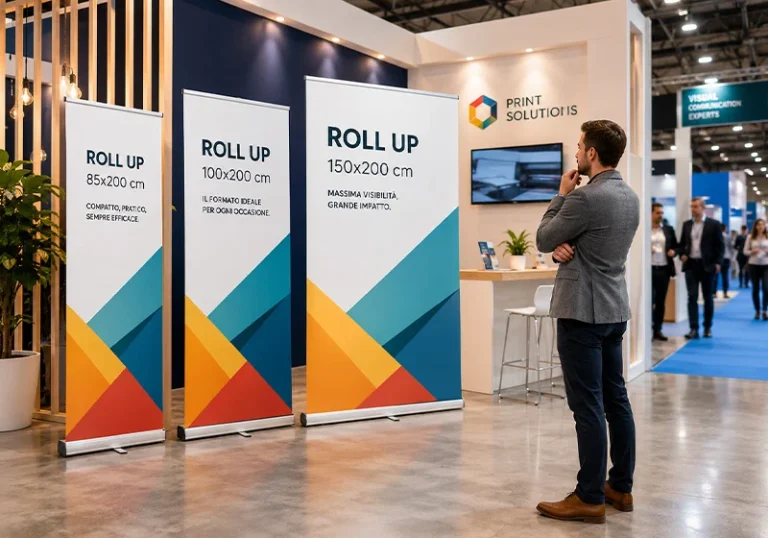
Shammah Media can help you turn your message and brand assets into artwork prepared for the roll-up stand you select. If you already have finished artwork, we can check it against the confirmed production template before banner printing . Review the roll-up banner size guide if you still need to choose the most suitable width.
Use this simple content order
Your logo or business name
Give your identity a clear position near the top, where it can remain visible above tables and people. Use the current approved logo rather than a screenshot or a small web copy. Leave enough clear space around it so it does not compete with the headline.
One direct headline
Tell the viewer what the banner is about. Specific wording such as “Corporate Video Production in Kenya” communicates more than “Solutions for Every Need.” Keep it short enough to read without stepping close to the stand.
A brief supporting message
Use one short statement, a compact group of services or a genuine proof point to support the headline. Include only information that helps the viewer decide whether to speak to you, scan the code or visit the stated page.
One strong image
Choose an image that makes the offer easier to understand. A single, well-cropped photograph usually has more impact than a collage of many small pictures. Use an original high-resolution file and confirm that you have permission to reproduce it.
One primary action
Decide what you want the viewer to do next: visit the stand, call, scan a QR code, register or open a particular web page. Make that action obvious. If the QR code matters, include a readable fallback such as a short web address or telephone number.
What to send for roll-up banner design
If your message is still too long, send the essential information first. We can help structure it for the display, but you remain responsible for approving names, dates, prices, contact details and claims before production.
- The banner’s purpose and where it will be displayed
- Your intended audience and the main action you want from them
- The selected stand size or the size you are considering
- Your final headline and supporting copy, if already approved
- A vector logo or the best original logo file available
- Brand colours, fonts and any current brand guidelines
- Original photographs or licensed image files
- Verified telephone numbers, email addresses and website links
- The final destination for every QR code
- Required sponsor or partner logos
- The number of artwork versions and printed banners needed
- Your event date, delivery location and approval deadline
Design for viewing distance, not a laptop screen
Roll-up banners are tall and narrow. Long sentences wrap quickly, while small type that looks acceptable on screen may be difficult to read in a busy venue. Your headline should carry the main idea from a useful distance, followed by a much shorter supporting layer.
Use a limited number of typefaces and weights. Strong contrast is more important than decorative effects. Thin lettering over a detailed photograph often disappears under exhibition lighting, and long blocks of capital letters are tiring to read.
Before approval, look at the design at an equivalent physical size and step back. Ask someone who has not seen the brief to explain what the banner offers and what they should do next. If they must move close and study it, the message needs simplifying.
Put important information where it stays visible
The upper area normally carries your logo and main message because the lower area can be hidden by the retractable base, a table, seated guests or people standing nearby. Contact details and QR codes still need to be high enough to find and use comfortably.
Placement should also reflect the venue. A banner behind a conference speaker needs to work within camera crops and around the lectern. An exhibition banner must remain useful behind a display table. A reception banner may be viewed more slowly but should still lead with the most important message.
Tell us how the stand will be positioned, not just its printed dimensions. That context helps determine hierarchy, image crop and the best location for the call to action.
Choose images that will survive enlargement
Images saved from websites, social media, slides or messaging apps may look sharp on a phone but become visibly soft on a two-metre display. Send the original camera file or highest-quality approved version whenever possible. Pixel dimensions, cropping and the amount of enlargement all affect the finished result.
The artwork also needs a crop that suits the banner’s narrow proportions. Portraits require safe space around faces and hands. Property images must preserve the features that make the scene useful. Product photographs need clean edges and enough space for copy without covering the subject.
Do not stretch a photograph to force it into the layout. A better solution is to crop it deliberately, reposition it, use an approved background treatment or select another image. If you need new campaign imagery, plan corporate photography around the banner’s vertical format.
Make QR codes easy to use
A QR code should take the visitor directly to a useful, mobile-friendly destination. Link to the booking form, product page, event registration or campaign page that matches the banner rather than sending every visitor to a general homepage.
Keep clear space around the code and place it against a simple, high-contrast background. Test the final code on a printed proof, from a realistic position, with more than one phone. Also confirm that the destination loads, the page is current and someone is responsible for keeping it live while the banner remains in use.
When scanning may be affected by venue internet access, include a short web address or another contact route. A QR code should make the response easier, not become the only way a prospect can reach you.
Prepare artwork for the exact roll-up stand
Two roll-up stands with the same advertised width can still use different total artwork heights, visible areas and cassette allowances. Select the hardware first and build the file on its exact template. Generic dimensions copied from another printer can place text or logos inside the retractable base.
The production template defines the finished size, any bleed, the safe area and the material needed for attachment inside the cassette. These measurements are different and should not be guessed. Background colours and images may extend into specified production zones, but essential content must stay inside the confirmed visible area.
If you are adapting an old design to a different stand, the artwork should be reflowed rather than stretched. Every logo, image crop, line break and QR code must be reviewed for the new proportions.
Check your banner before printing
Printing begins from the approved proof, so take time to check details that cannot be corrected after production. The signed quotation and final approved artwork control the agreed size, material, quantity, finishing, timing and delivery.
- The stand model, finished size and production template match
- The logo and brand treatment are current
- The headline states one clear message
- Names, dates, prices, telephone numbers and links are correct
- The QR destination works and the code scans from a printed proof
- Images are licensed and sharp at their effective output size
- Important content remains inside the safe visible area
- Nothing essential is hidden by the cassette or attachment zone
- The design remains readable against its background
- The correct artwork version and quantity are identified
- An authorised person has approved the final proof
Common roll-up banner design mistakes
Treating the banner like a brochure
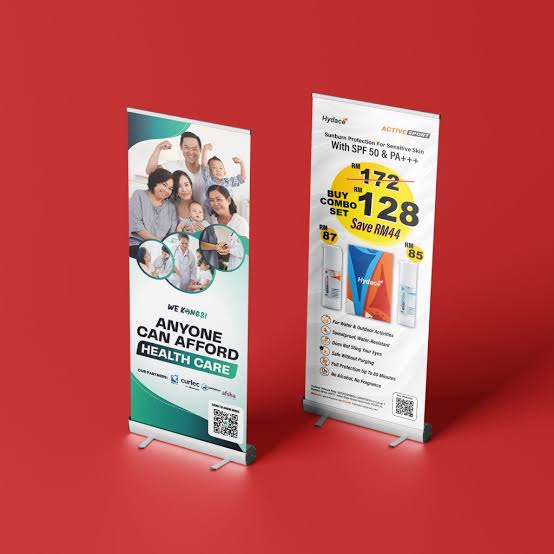
Long paragraphs and complete service catalogues force the type to become too small. Keep the banner focused and move detailed information to a brochure or a dedicated web page.
Designing before choosing the stand
Artwork prepared on the wrong template may lose content inside the base or leave an incorrect finished height. Confirm the product first.
Giving every element equal importance
When the headline, services, contacts and logos all compete at the same size, viewers do not know where to look. Build a clear order from identity to message to action.
Using a small web image
Heavy compression and enlargement can produce blur, jagged edges and visible artefacts. Start with the original file and check it at effective output size.
Placing the action near the floor
A QR code or telephone number can be hidden by the base, furniture or people. Review the actual display setting and keep response details accessible.
Assuming one design fits every display
Roll-up, X-banner and pop-up systems use different proportions and hardware. Adapt the design to the confirmed template for each product.
Frequently asked questions
What should I put on a roll-up banner?
Use your identity, one clear headline, a short supporting message, a relevant image and one primary action. Add only the contact, event or sponsor details that the viewer needs in that setting.
How much text is too much?
The main point should be understandable within a few seconds from the expected viewing distance. If the copy only fits after reducing the type significantly, shorten it.
Where should my logo go?
Place it where people can recognise your brand quickly and where furniture or people will not hide it. The upper area is often useful, but the final position should follow your brand rules and layout.
What image resolution do I need?
The answer depends on the image crop, final print size, viewing distance and production setup. Send the original file so its effective resolution can be checked in the actual artwork.
Does a roll-up banner need bleed?
Use the bleed, safe area and cassette allowance stated on the exact template for your chosen stand. There is no single value that applies to every roll-up system.
Can I supply artwork from an online design tool?
Yes, if the exported file matches the exact dimensions and production requirements. Share it for preflight before printing, because some tools alter page size, colour handling or image quality.
Can the same artwork be used on an X-banner?
Not without checking and adapting it. X-banners and roll-up stands can have different dimensions, eyelet areas and visible zones even when their general size appears similar.
Can Shammah Media design and print the banner?
Yes. Send your content, brand assets, required size, quantity, display setting and deadline for a quotation. The quotation will state the design scope, revision allowance, printing specification and delivery arrangement.
Request roll-up banner design and printing
Send your message, logo, original images, required quantity, venue and deadline through the Shammah Media contact page . If you have not selected a stand size, tell us where the banner will be used and how it will be transported so we can help you compare suitable options.